Install TrustDots
Open the TrustDots listing in the Chrome Web Store and add the extension to your browser.
Add to Chrome
Add the TrustDots extension from the Chrome Web Store, then keep shopping as usual. TrustDots scores appear on supported product pages while you browse.

Open the TrustDots listing in the Chrome Web Store and add the extension to your browser.
Add to ChromeContinue shopping in your browser, or use one of the sample product pages below to get started.
When TrustDots supports the product page, its trust score appears while you browse.
Install TrustDots, then open any of these product pages. Each retailer link opens in a new tab.
Watch TrustDots display a score on a product page, then try it yourself with one of the sample links.
Open on YouTube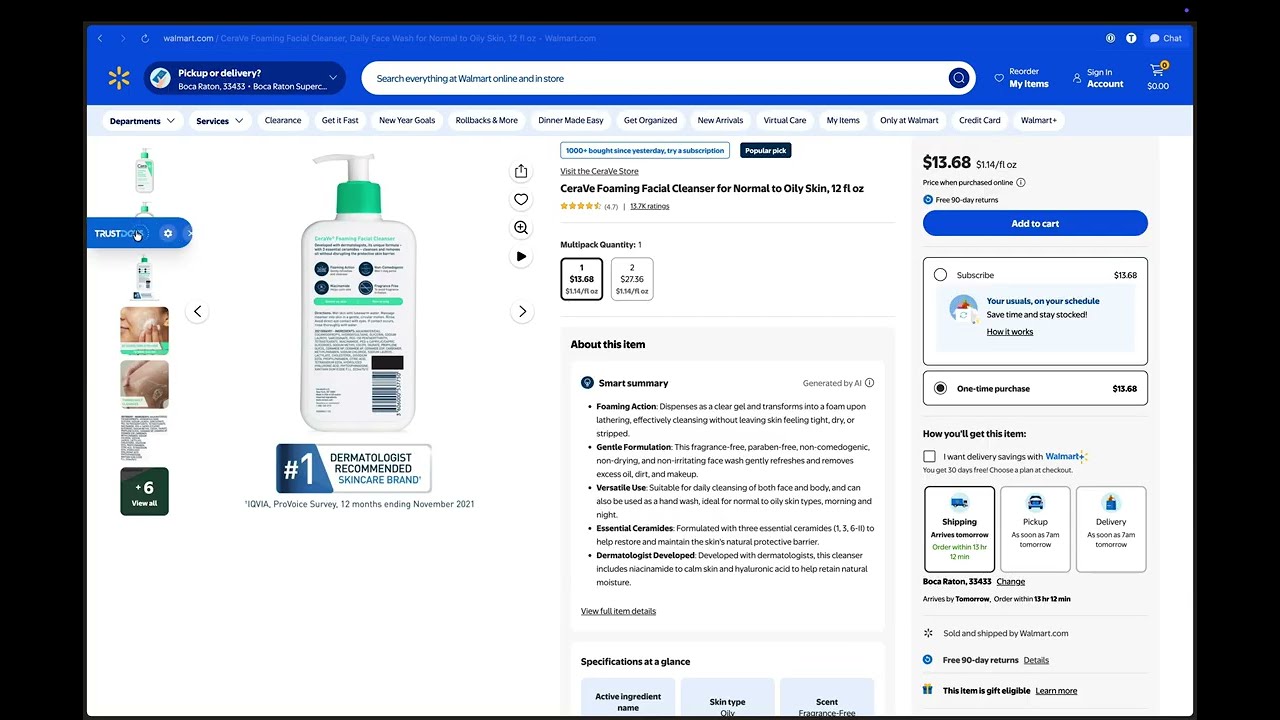 Watch walkthrough
Use the Add to Chrome link on this page to open the TrustDots listing in the Chrome Web Store.
Install the extension, then open a product page while you shop. The sample links on this page are a convenient place to begin.
TrustDots scores appear on supported product pages. Start with one of the sample pages below to see the extension in use.
Yes. The video on this page shows the TrustDots extension on a product page.